AppleTV Prep & the Value of Backups
With my family equally anxious to start using the new AppleTV I knew I needed to get ahead of the curve and complete the prep work. In my case this meant relocating the Mac Mini, which serves as a media server/streamer/backup device, from the entertainment center in the family room to a cabinet in the upstairs playroom. I had earlier done some upstairs prep work, namely installing a UPS, power strip and Ethernet cable. Completing the Mini’s relocation took a bit longer than expected since there was an issue with the cat 5e cable. While at it I set up the Mac Mini with a Bluetooth Apple keyboard and used a spare monitor as a temporary display. (The Mini used to be connected to a TV which served as a display). Seemed straightforward enough until…
I did a file system check on the 2TB external drive using Disk Utility and found not only were there file system errors but to make it worse Disk Utility couldn’t repair them. This was Defcon 4 from the family standpoint as the 2TB external drive holds the media streamed throughout the house, sync’d to iPhones, and would be a key source for the AppleTV. Fortunately I have backups :-) So I kicked off restores from my backups and let them run overnight.
As of this morning the backup is nearly done - most importantly all the entertainment media has been restored - and FedEx is reporting that my AppleTV is on a truck in da hood and should arrive within 2 hours. Let the fun begin!
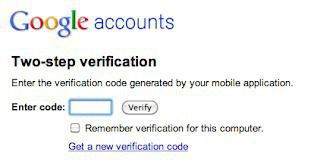 Google announced today they are making a form of two factor authentication available for Enterprise/Cloud customers. Frankly, this is long overdue. I’m still frustrated and a bit mystified at how slowly service providers are moving to help prevent phishing, identity theft, etc. So many easy steps could be taken. Still, this is a welcome sign at least for one customer segment. Though I find it baffling they are claiming this as their own security innovation…